
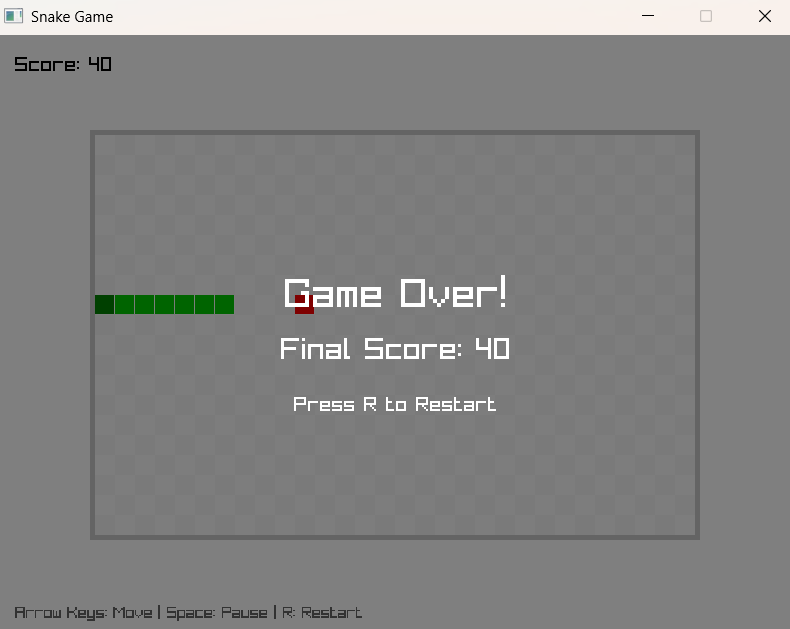
你是否曾想过,用你熟悉的 Laravel 框架来开发一个小游戏?今天,我将带你体验如何在 Laravel 中使用 Raylib PHP 绑定,快速开发一个经典的贪吃蛇游戏!
什么是 Raylib?
Raylib 是一个简单易用的游戏编程库,最初为 C 语言设计,但现在也有了 PHP 版本。它提供了丰富的图形、音频和输入处理功能,让游戏开发变得简单有趣。
环境准备
首先,在你的 Laravel 项目中安装 Raylib PHP 包:
composer require kingbes/raylib
确保系统安装了必要的图形库:
Ubuntu/Debian:
sudo apt install libgl1-mesa-dev libxi-dev libxrandr-dev libxcursor-dev
macOS:
brew install glfw3
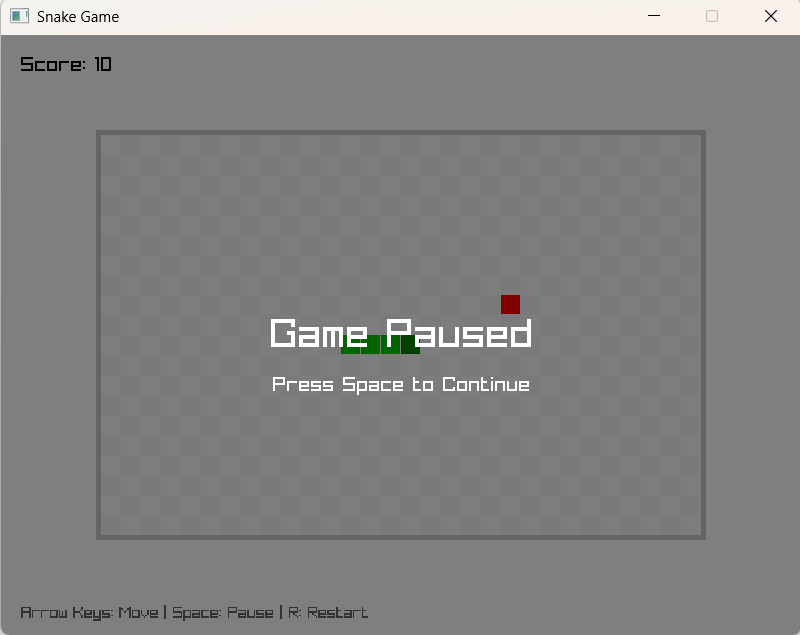
创建贪吃蛇游戏
在 Laravel 中,我们可以通过 Artisan 命令来创建游戏。运行以下命令创建游戏类:
php artisan make:command SnakeGame
然后,将以下代码替换到生成的命令文件中:
<?php
namespace App\Console\Commands;

use Illuminate\Console\Command;
use Kingbes\Raylib\Core;
use Kingbes\Raylib\Shapes;
use Kingbes\Raylib\Text;
use Kingbes\Raylib\Utils;
use Kingbes\Raylib\KeyBoard;

class SnakeGame extends Command
{
    protected $signature = 'game:snake';
    protected $description = '启动贪吃蛇游戏';

    // 游戏配置常量
    private const GRID_SIZE = 20;
    private const GRID_WIDTH = 30;
    private const GRID_HEIGHT = 20;
    private const SCREEN_WIDTH = 800;
    private const SCREEN_HEIGHT = 600;

    // 游戏状态变量
    private $snake = [];
    private $food = [];
    private $direction = 'RIGHT';
    private $score = 0;
    private $gameOver = false;

    public function handle()
    {
        // 初始化游戏窗口
        Core::initWindow(self::SCREEN_WIDTH, self::SCREEN_HEIGHT, "Laravel Snake Game");
        Core::setTargetFPS(60);

        $this->initGame();

        // 主游戏循环
        while (!Core::windowShouldClose()) {
            $this->handleInput();

            if (!$this->gameOver) {
                $this->updateGame();
            }

            // 绘制游戏画面
            Core::beginDrawing();
            $this->drawGame();
            Core::endDrawing();
        }

        Core::closeWindow();
    }

    // 其他游戏方法...
}
游戏核心机制
1. 游戏初始化
private function initGame()
{
    // 初始化蛇身
    $this->snake = [
        ['x' => 5, 'y' => 10],
        ['x' => 4, 'y' => 10],
        ['x' => 3, 'y' => 10]
    ];

    $this->generateFood();
    $this->score = 0;
    $this->gameOver = false;
}
2. 输入处理
private function handleInput()
{
    if (Core::isKeyPressed(KeyBoard::Up->value) && $this->direction !== 'DOWN') {
        $this->direction = 'UP';
    }
    // 处理其他方向键...

    if (Core::isKeyPressed(KeyBoard::R->value)) {
        $this->initGame(); // 重新开始
    }
}
3. 游戏逻辑更新
private function updateGame()
{
    // 移动蛇头
    $head = $this->snake[0];
    $newHead = ['x' => $head['x'], 'y' => $head['y']];

    switch ($this->direction) {
        case 'UP': $newHead['y']--; break;
        case 'DOWN': $newHead['y']++; break;
        case 'LEFT': $newHead['x']--; break;
        case 'RIGHT': $newHead['x']++; break;
    }

    // 碰撞检测
    if ($this->checkCollision($newHead)) {
        $this->gameOver = true;
        return;
    }

    array_unshift($this->snake, $newHead);

    // 吃食物检测
    if ($newHead['x'] === $this->food['x'] && $newHead['y'] === $this->food['y']) {
        $this->score += 10;
        $this->generateFood();
    } else {
        array_pop($this->snake);
    }
}
4. 图形绘制
private function drawGame()
{
    // 清空背景
    Core::clearBackground(Utils::color(255, 255, 255, 255));

    // 绘制游戏元素
    $this->drawGrid();
    $this->drawSnake();
    $this->drawFood();
    $this->drawUI();

    // 游戏结束画面
    if ($this->gameOver) {
        $this->drawGameOver();
    }
}
运行游戏
在项目根目录下运行:
php artisan game:snake
你就会看到一个窗口弹出,经典的贪吃蛇游戏开始运行!
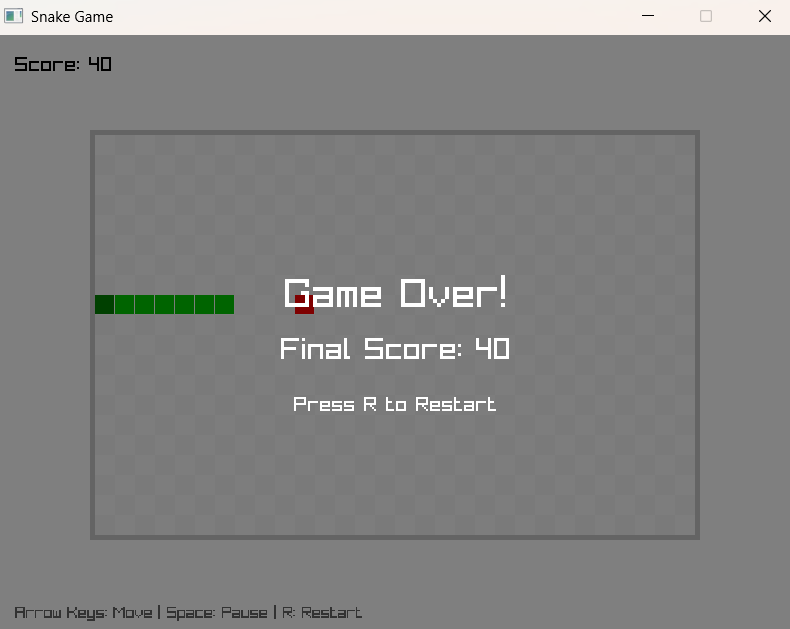
通过这个简单的贪吃蛇游戏,我们看到了 Laravel 框架的灵活性。它不仅仅是构建 Web 应用的利器,还能成为学习游戏开发的平台。
Raylib 的 PHP 绑定让我们能够用熟悉的语言探索图形编程的世界。无论你是想学习游戏开发基础,还是想在 Web 项目中添加一些小游戏元素,这都是一个很好的起点。